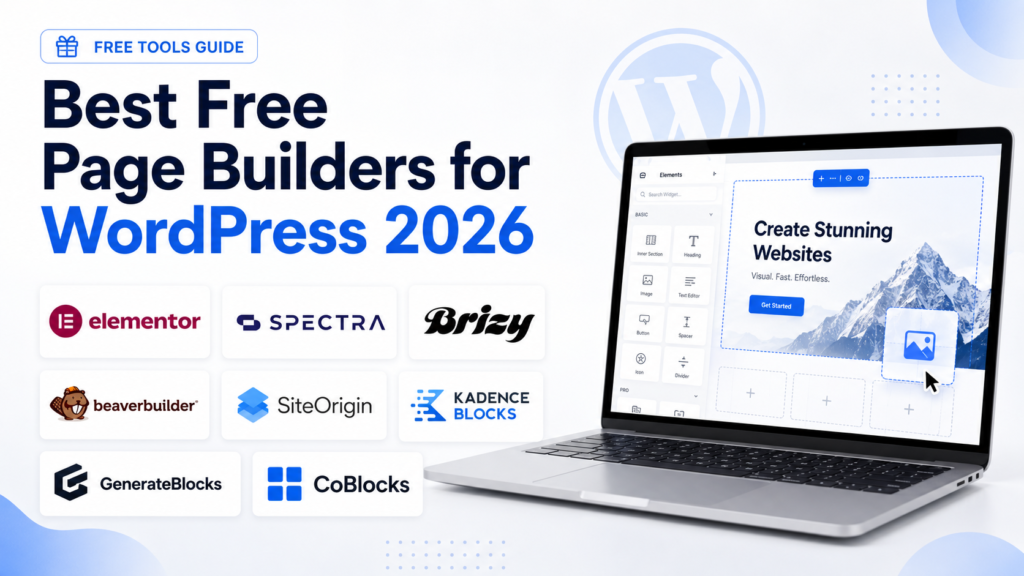
Creating a professional website no longer requires coding knowledge. With the right WordPress page builder, you can design landing pages, homepages, service pages, portfolios, and blog layouts using simple visual tools.
The best part? Many powerful WordPress page builders are available for free.
In this guide, we’ll look at the best free page builders for WordPress, what each one is good for, and which type of website owner should use them.
1. Elementor
Elementor is one of the most popular free WordPress page builders. It offers a visual drag-and-drop editor that lets you design pages in real time.
You can add headings, images, buttons, videos, icons, columns, sections, and more without touching code. Elementor is especially useful for beginners who want complete design control.
Best for: Beginners, freelancers, landing pages, business websites
Why choose it: Easy drag-and-drop editing and a large design ecosystem
Free version limitation: Some advanced widgets, theme-building features, and templates require Elementor Pro
2. Spectra
Spectra is a powerful page-building plugin built for the WordPress block editor. Instead of replacing Gutenberg, it extends it with advanced blocks and design options.
It is a great option if you want a fast, lightweight website while still having access to flexible layouts, call-to-action sections, testimonials, buttons, containers, and prebuilt designs.
Best for: Bloggers, business websites, fast-loading websites
Why choose it: Works inside the native WordPress editor
Free version limitation: Some advanced templates and premium blocks may require the paid version
3. Beaver Builder Lite
Beaver Builder Lite is a reliable front-end page builder known for its clean interface and stability. It allows you to build pages visually and see changes as you make them.
The free version is more limited than some competitors, but it is still a strong choice for users who want a simple and dependable page-building experience.
Best for: Small business websites, agencies, simple landing pages
Why choose it: Stable, beginner-friendly, and clean editing experience
Free version limitation: Fewer modules compared with the premium version
4. Page Builder by SiteOrigin
Page Builder by SiteOrigin is one of the older free WordPress page builders, but it remains useful for creating responsive layouts.
It works with widgets and rows, making it a good option for users who prefer a structured layout system. It may not feel as modern as Elementor or Spectra, but it is lightweight and practical.
Best for: Simple websites, users who like widget-based layouts
Why choose it: Free, flexible, and works with many WordPress themes
Free version limitation: Interface feels less modern than newer builders
5. Brizy
Brizy is a visual WordPress page builder designed for ease of use. Its editing interface is clean, modern, and beginner-friendly.
One of Brizy’s strengths is that many design controls appear directly near the element you are editing, which makes page building feel simple and intuitive.
Best for: Beginners, creatives, landing pages
Why choose it: Clean interface and easy visual editing
Free version limitation: Advanced marketing tools and dynamic features require Brizy Pro
6. Kadence Blocks
Kadence Blocks turns the default WordPress editor into a more powerful page-building system. It adds flexible blocks, layout controls, design settings, and performance-friendly features.
If you already like using Gutenberg, Kadence Blocks is one of the best free options because it gives you more creative control without forcing you into a separate builder interface.
Best for: Bloggers, business owners, performance-focused websites
Why choose it: Lightweight, flexible, and built for the block editor
Free version limitation: Some advanced blocks and design features are paid
7. GenerateBlocks
GenerateBlocks is a lightweight block-based builder focused on speed and simplicity. Instead of giving you dozens of complicated elements, it gives you a small set of flexible blocks that can be used to create many different layouts.
It works especially well with GeneratePress, but it can also be used with other WordPress themes.
Best for: Fast websites, developers, SEO-focused sites
Why choose it: Lightweight and performance-friendly
Free version limitation: Fewer ready-made design elements than larger page builders
8. CoBlocks
CoBlocks is another free Gutenberg-based page builder plugin. It adds extra blocks and layout tools to the WordPress editor, including rows, columns, galleries, buttons, and other useful design elements.
It is a good option for users who want more design freedom while staying close to the default WordPress editing experience.
Best for: Bloggers, portfolios, simple business websites
Why choose it: Adds useful layout blocks to Gutenberg
Free version limitation: Not as feature-rich as Elementor or Spectra
Quick Comparison:
| Page Builder |
Best For |
Editor Type |
Beginner Friendly |
| Elementor |
Full visual design |
Drag-and-drop visual editor |
Yes |
| Spectra |
Fast block-based websites |
Gutenberg blocks |
Yes |
| Beaver Builder Lite |
Simple business pages |
Front-end visual editor |
Yes |
| SiteOrigin |
Widget-based layouts |
Row and widget editor |
Moderate |
| Brizy |
Easy landing pages |
Visual editor |
Yes |
| Kadence Blocks |
Gutenberg users |
Block editor |
Yes |
| GenerateBlocks |
Lightweight websites |
Block editor |
Moderate |
| CoBlocks |
Simple block layouts |
Block editor |
Yes |
Which Free WordPress Page Builder Should You Choose?
The best free page builder depends on your website goals.
Choose Elementor if you want the easiest visual drag-and-drop experience.
Choose Spectra or Kadence Blocks if you want to build with the native WordPress block editor.
Choose GenerateBlocks if speed, clean code, and performance are your top priorities.
Choose Beaver Builder Lite if you want a stable and simple front-end builder.
Choose Brizy if you prefer a modern interface that is easy to understand.
Choose SiteOrigin if you want a classic, widget-based page builder.
Final Thoughts
Free WordPress page builders are powerful enough to create beautiful websites without hiring a developer or buying expensive software.
For most beginners, Elementor is the easiest place to start. For users who want speed and long-term flexibility, block-based builders like Spectra, Kadence Blocks, and GenerateBlocks are excellent choices.
Before choosing a builder, think about your priorities: ease of use, speed, design control, templates, or compatibility with your theme. The right page builder will help you create a professional WordPress website faster and with less stress.